Unity
Jan 1, 2026
ScreenshotKit
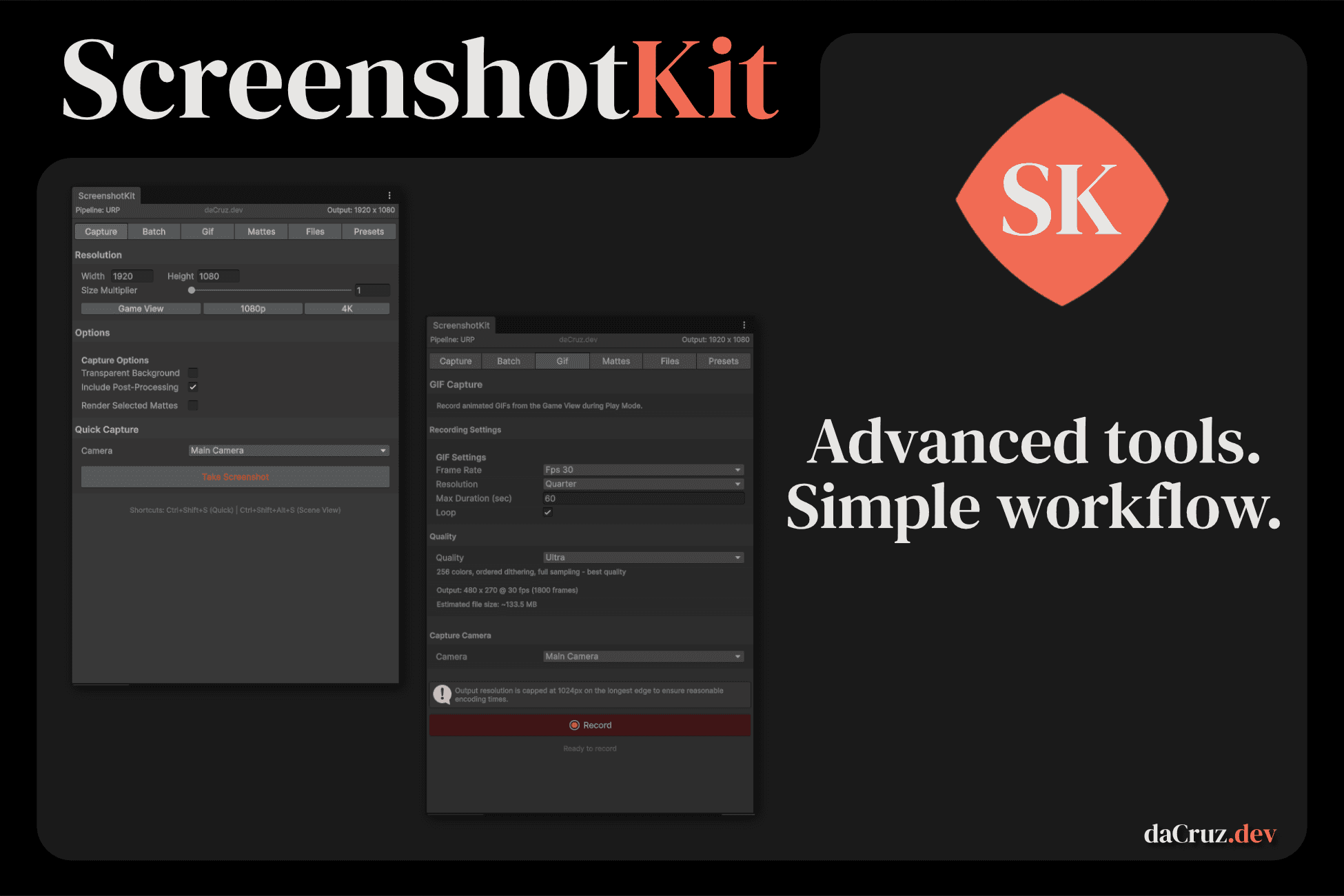
High-resolution screenshots, GIFs, image sequences, and compositing passes. All from inside the Unity Editor. You spend weeks making your game look incredible, then when it's time to grab a screenshot for the store page, you're wrestling with screen capture tools, cropping the UI out of the frame, or trying to make sense out of Unity recorder. ScreenshotKit was built because that workflow is terrible. One click in the Scene View overlay, and you get a pixel-perfect screenshot at any resolution you want, from any camera, without entering Play Mode. Need a 4K shot from a camera that only renders at 1080p? Set the size multiplier to 2 and let the tool handle it. But screenshots are just the start.
What It Does
Capture screenshots at any resolution. Set a base width and height, apply a size multiplier, and the tool renders at whatever resolution you need. 1080p, 4K, 8K, higher. Your monitor resolution does not limit you. The Scene View overlay gives you Quick Capture, Scene View Capture, and Focus Camera buttons right where you're already working.
Transparent backgrounds without the headache. One toggle. The tool handles the camera setup, renders with alpha, and saves a proper PNG with transparency. If you're on URP and want post-processing at the same time (which normally destroys alpha), ScreenshotKit has a composite capture mode that renders a beauty pass with full post-processing, grabs an alpha matte separately, and stitches them together. No one else on the Asset Store does this.
Record animated GIFs. Hit Record GIF, play your game, and stop. The tool encodes the frames and saves the file. Configurable frame rate, resolution, loop mode, and compression. Perfect for devlog posts, Twitter/X clips, store page banners, and press kits.
Capture full image sequences. Record Sequence writes individual frames to disk as PNG, JPG, or EXR, with no resolution cap and no encoding overhead. This is the output path for anyone doing serious compositing or video editing.
EXR support for professional pipelines. Export in OpenEXR with configurable compression (None, Zip, RLE) and bit depth (16-bit half or 32-bit float). Captures use linear ARGBFloat render targets, so there is no tonemapping bake. The files load straight into Nuke, DaVinci Resolve, or After Effects exactly as you'd expect.
Cryptomatte and compositing passes. This is the feature that turns ScreenshotKit from a screenshot tool into a lightweight render pass manager. Toggle on any combination of over 18 matte passes and the tool renders them alongside your beauty capture:
Object ID, Material ID, Layer ID, Shader ID for isolating elements in post
Depth (Linear and Raw) for depth-of-field and fog in compositing
Normals, Motion Vectors, World Position, Stencil for relighting and debugging
Diffuse, Specular, Reflection, Refraction, Emission, Shadow, Ambient Occlusion for full lighting decomposition
Every pass renders through custom HLSL replacement shaders, outputs a separate file, and restores your scene to its original state when done.
Per-frame mattes on image sequences. Enable "Render Cryptomattes per Frame" and the tool generates the full matte set on every frame of your sequence, organised into named subfolders. Beauty pass plus decomposed lighting, depth, and ID passes, frame by frame. That's a compositing pipeline running inside the Unity Editor.
Batch multi-camera capture. Assign cameras to a batch list and capture all of them in one click. Each camera produces its own beauty pass and mattes.
Layer mask filtering. Choose which Unity layers appear in the capture. The tool temporarily overrides the camera's culling mask and restores it safely, so you can render your environment without characters, or characters without the background, in a single capture.
Who Is It For?
Technical artists and VFX teams who need render passes from Unity without building a custom pipeline. Object IDs, depth buffers, normals, lighting decomposition, all accessible from a single editor window.
Indie developers building store pages and press kits. You need high-resolution marketing screenshots with transparent backgrounds, and you need them fast. ScreenshotKit lets you grab them between playtests without stopping your workflow.
Devlog creators and content makers. The GIF recorder and image sequence capture are built for this. Grab a clip, post it to Screenshot Saturday, move on.
Studios with compositing pipelines. EXR export, Cryptomatte passes, and per-frame matte sequences mean your Unity output can slot directly into a Nuke or DaVinci workflow. The tool does not replace a full offline renderer, but for real-time projects it covers a lot of ground that previously required custom C# scripts or expensive pipeline tools.
How It Works
Install from the Asset Store. Open Tools > ScreenshotKit > Settings Window. Select a camera. Click capture.
The main window has four tabs: Capture, GIF/Sequence, Mattes, and Settings. A compact Scene View overlay gives you the most common actions without opening the window at all. The tool auto-detects your render pipeline (URP, HDRP, or Built-in) and adjusts its behaviour accordingly.
All settings live in a single ScriptableObject. Commit it to version control and your entire team shares the same resolution presets, capture options, and keyboard shortcuts. Every setting change supports Ctrl+Z undo.
Configurable keyboard shortcuts let you bind Quick Capture and Scene View Capture to whatever key combination you prefer. Both respond when the Scene View has focus, so you can frame a shot and fire without touching the mouse.
Find the full Documentation Here
At a Glance
Screenshots at any resolution with size multiplier (1x to 8x+)
Transparent background capture, including with post-processing on URP
Animated GIF recording with configurable frame rate, loop, and compression
Image sequence capture as PNG, JPG, or EXR with no resolution cap
OpenEXR export with compression and bit-depth options
18+ Cryptomatte and compositing passes (ID, depth, normals, lighting decomposition, debug buffers)
Per-frame matte rendering on image sequences
Batch multi-camera capture
Layer mask filtering per capture
Scene View overlay for quick access
Configurable keyboard shortcuts
Full undo support on every setting
Settings stored in a ScriptableObject for version control
Works with URP, HDRP, and Built-in pipelines
No Play Mode required for screenshots
No dependencies, no assembly definitions to configure
Why This Tool Exists
I'm a Technical Artist. I've worked on shipped titles and I build indie games on the side. Every project I've been on has needed some version of "take a good screenshot from the editor," and every project has either used a janky custom script that breaks between Unity versions or a tool that does screenshots fine but nothing else.
ScreenshotKit started as that custom script. Then it grew GIF recording because I needed devlog clips. Then matte passes because I was tired of writing one-off replacement shader scripts for compositing. Then EXR because PNG is not good enough for professional colour work. Then the post-process transparent composite because URP's alpha handling is genuinely frustrating and I wanted a clean workaround.
It is built by someone who actually uses it in production, and it is updated regularly because I keep finding things I need it to do.